
Hestaksa SimsLab

Hestaksa SimsLab

Community feed · Mods for The Sims 3

Hestaksa SimsLab is my creative space for The Sims 3. I build my own mods and adapt useful community projects to make the game more fun and convenient.

Hestaksa SimsLab
Which World Should You Choose If You Want Less Lag? 🌳 Since I've started digging into the causes of lag, another question came to mind: are there worlds in The Sims 3 that naturally run more smoothly than others? And yes — the difference between worlds can be quite noticeable. 🌳 Sunset Valley — one of the most reliable choices. It's a relatively simple world, and its routing usually doesn't cause as many problems, making it a good option for long-term gameplay. 🌊 Riverview — another fairly lightweight and peaceful world without too many complex objects or routes. 🏭 Twinbrook — another relatively stable option. It's a bit more demanding than the simplest worlds, but overall, it's not among the notoriously laggy ones. 🐴 Appaloosa Plains and 🌙 Moonlight Falls are also perfectly suitable for regular gameplay, although they do have a few problematic areas. But if your main goal is to minimize the chances of running into problems, there are two well-known troublemakers you should be a little more careful with. 😄 🏝️ Isla Paradiso — probably the most famous example. Islands, boats, complicated routing, resorts, and Sims getting stuck can put quite a serious strain on the game. 🌃 Bridgeport — another more demanding world. Skyscrapers, elevators, large numbers of Sims, and more complicated routes all contribute to its performance issues. Of course, this doesn't mean Sunset Valley will never lag or that it's impossible to enjoy playing in Isla Paradiso. Performance also depends on your save file, the number of Sims, mods, CC, and how long the world has been running. But if I were choosing a world based on the idea of "I just want to play without constantly dealing with technical problems," I'd start with Sunset Valley, Riverview, or Twinbrook. 🌳💚

Hestaksa SimsLab
Why The Sims 3 Lags — and Why We Still Love It 💚 While working on the Lag Mod, I finally decided to take a broader look at the problem: why does The Sims 3 start struggling so easily in the first place? 😄 And the more I read and explore how the game works behind the scenes, the clearer it becomes: much of the problem comes from the very same thing that makes us love it. The Sims 3 has an entire open world that's constantly alive. While I'm busy with my household, other Sims are driving to work, finding their routes, visiting lots, service NPCs are spawning, cars are moving, objects are running their interactions, the weather is changing — and the game is constantly calculating all of this in the background. And if a Sim keeps trying to follow an impossible route, several characters get stuck in the same place, an object starts behaving incorrectly, or the world itself has a poorly designed layout, the game engine continues spending time processing it. Add demanding weather effects, CC, mods, and a large save file to the mix, and there are plenty of reasons for performance drops. And a powerful computer doesn't always solve the problem. If the simulation itself is struggling with routing or the way the world is built, extra hardware power won't fix the underlying logic. That's why, on the official EA forums, testing the game without mods in a well-designed world is recommended as a starting point when investigating performance issues. And here's the interesting part: despite all of this, people continue to love The Sims 3 precisely because of its scale and its living, breathing open world. 💚
Hestaksa SimsLab
Sometimes I wonder: why The Sims 3, of all games? 💚 So many years have passed. This game has driven me crazy, surprised me, and broken down at the worst possible moments more times than I can count — and yet I still keep coming back to it. 😄 And the more I dig into the game, no longer just as a player but as someone trying to create my own mods for it, the more I realize one thing: The Sims 3 really feels alive. Not because of its graphics, beautiful animations, or decorations. But because things are constantly happening in the world without you. Somewhere, a Sim is driving to work. Someone is arguing with a neighbor. Someone is stuck in a doorway. 😂 Someone suddenly decided to get married. Somewhere, a baby was born, someone moved to a new house, someone changed jobs — and meanwhile, you're on the other side of town, completely unaware of it all. And all these different systems are constantly interacting with each other, creating stories that nobody ever wrote in advance. I guess that's why I find exploring the game so fascinating now. The deeper you dig into it, the more you realize just how strange, complicated, and far from perfect it can be. But that's exactly what gives it so much character. And what keeps you coming back to The Sims 3 after all these years? 💚
Hestaksa SimsLab
Weather Is Under Suspicion 🌨️ The Lag Mod has finally started doing more than just detecting freezes — it's now helping me identify what might be causing them. And the first major suspect turned out to be the weather. 👀 First, I reduced the unnecessary load caused by the Lag Mod itself, so its own activity wouldn't interfere with the measurements. After that, it became much easier to see what was actually happening inside the game. And that's when the weather started behaving particularly interestingly. 🌨️ During intense weather conditions, especially heavy snowfall, the same events began repeatedly occurring around short freezes. Now I'm investigating this in more detail: 🌨️ exactly when a freeze occurs; 📊 what's happening with the simulation at that moment; ⏱️ how severe the slowdown is and how long it lasts; 🔁 whether it happens again under similar weather conditions; 🛠️ whether these freezes can be reduced without disabling the weather itself. Because the option of simply "removing the snow and forgetting about it" doesn't interest me at all. 😄 The Lag Mod is gradually moving beyond simply saying "a freeze happened here" to something much more useful: "here's what was happening at that moment — and here's where we should start looking." 🔎 We'll see what ultimately turns out to be responsible: the snow itself, the weather effects, or something that gets triggered along with them. 😄
Hestaksa SimsLab
🛠 Today, Let's Talk About the Lag Mod Panel While I'm still tinkering with the Lag Mod itself, I decided to show you what its panel actually does. 😄 The idea isn't just to display a message saying, "The game is lagging." The panel collects different performance metrics and tries to show exactly where the load is coming from and what's happening in the game at that moment. 🔎📊 Here's what you can see: 🔹 simulation speed and FPS; 🔹 the impact of weather and demanding visual effects; 🔹 routing errors; 🔹 Sims stuck in loops; 🔹 NPCs, service Sims, and animals; 🔹 vehicles and active off-screen objects; 🔹 reference and data errors; 🔹 conflicting controllers; 🔹 suspicious script mods and CC; 🔹 memory usage; 🔹 temporary objects and potential memory leaks; 🔹 and even the performance impact of the Lag Mod itself. So the panel's purpose isn't to "fix everything with one click," but to provide a clear picture of what's actually going on. If the game slows down, I want to understand what's causing it: the weather, routing, a particular object, another mod, or even my own code. And little by little, the panel is becoming exactly the kind of diagnostic dashboard I had in mind when I started this whole project. 😄
Hestaksa SimsLab
Today's post won't have a beautiful victory at the end 😅 I'm still working on the lag diagnostic mod, but at this point, you could say it's in intensive care and barely showing any signs of life. On paper, everything looked perfectly logical. But in the game — of course not 😂 After another round of changes, it became clear that I'd gone too far into the measurement system itself. Instead of reliably identifying problems, the lag mod started producing results that I simply can't trust anymore. So here's where things stand right now: 🔧 I'll have to partially restore the old working logic and go through it all again; 📊 the performance measurement system needs to be rechecked almost from scratch; 🌦 the issue with weather and other demanding in-game events still needs to be addressed separately; 🧪 more tests, logs, and plenty of observing what's actually happening in the game are ahead. So there's not much to brag about today 😄, but that's also a normal part of development. Sometimes several days of work don't end with a new feature, but with the realization: this is where I took a wrong turn. The lag mod hasn't officially come back to life yet 🥲 But I'm not done tinkering with it.
Hestaksa SimsLab
We Had to Put the Hospital on Hold for a Little While 🏥⏸️ The project is gradually becoming more and more serious, and I've realized that simply watching the game and thinking, "Well, everything seems fine," isn't enough anymore. 😄 As a developer, I need to understand more precisely: 🔹 how much load my mod itself puts on the game; 🔹 what's causing a particular performance drop; 🔹 whether the problem comes from my code, the game itself, or another mod; 🔹 whether a Sim has gotten stuck somewhere while trying to follow a route 🚶‍♀️; 🔹 whether some object or interaction has started repeating too frequently 🔁 In other words, what I needed wasn't another "lag cleaner," but a diagnostic tool for development. 🔎📊 So we temporarily put the hospital on hold and switched to working on a lag diagnostic mod. 🛠️ You'd think it would be simple: measure a performance drop, find the cause, and you're done. But The Sims 3, of course, decided to make things a little more interesting. 😄 It turned out that first, we need to learn how to properly distinguish normal in-game performance drops from the moments that actually deserve attention. 👀 And just like that, a small supporting tool unexpectedly turned into a separate, complex research project. 🧪📈
Hestaksa SimsLab
🧹 A Handy Tool for The Sims 3 — Quick Cache and Log Cleanup If you frequently install mods, test new builds, or have simply been playing The Sims 3 for a long time, your game folder gradually fills up with cache files, error logs, and diagnostic files. After constantly testing Hospital Mod, I'd accumulated so much of this stuff that I finally decided to stop cleaning everything manually. 😄 So I made a simple batch file to regularly clean up the The Sims 3 folder. What it deletes: 🧹 main game cache files 📄 old ScriptError files 🏥 Hospital Mod logs 📝 old diagnostic logs 💥 crash report files 📁 unnecessary temporary XML files What it doesn't touch: 💾 saved games 🧩 Mods 📦 Downloads 🏠 Library 🌍 installed worlds 🛍 Store content and CC ⚙ game settings You can simply keep it on your desktop and run it from time to time before playing or testing. ⚠ Important: Only run it when The Sims 3 and the launcher are closed. If the game is running, the batch file will simply stop without deleting anything. After cleanup, the game will automatically recreate any cache files it needs. If you frequently test mods, it's incredibly convenient. One click instead of endlessly digging through folders wondering, "Which of these files can I delete again?" 😄
Hestaksa SimsLab
Well, that's it for today 💙 Another very busy day. The hospital is gradually becoming exactly what I envisioned — not just a beautiful building with Sims inside, but a real functioning system 🏥✨ Today I spent a lot of time working on the staff and Sim behavior again, tracking down strange issues and fixing things that suddenly decided to have a mind of their own 😄🔧 The cleaning lady had an especially rough time 🧹 But now she finally has a proper work routine: first, she repairs everything that can be repaired, then cleans up any messes she can reach, and when there's absolutely nothing left to do, the system automatically creates new tasks for her. So she shouldn't just stand around waiting for who knows what anymore 😅 I also finally removed all the unwanted town medical staff from the hospital 🚫👨‍⚕️ Now only employees I've personally assigned should be working here. This is important to me because I want the hospital to feel like a separate system, not a place where the game occasionally throws in random characters. It's still a long way from perfect 😄 There are doctors 👨‍⚕️, nurses 👩‍⚕️, patients, routes, procedures, and a whole bunch of little details ahead that are bound to pop up at the most unexpected moments 🛠️ But the best part is that the hospital is already becoming more than just an idea 💙 More and more often, I look at it and realize: this is already a real mod ✨ Still in development, stubborn in places, and absolutely unwilling to cooperate on the first try 😄 But it's already alive. And now I'm done 😴 That's enough for today. I'll continue tomorrow 💙
Hestaksa SimsLab
😄 Sometimes It's Better Not to Experiment with the Downloads Folder Today, I decided to do things "the right way." I thought: It's time to clean up all the unnecessary stuff. Why do I need all these skirts, tops, hairstyles, and everything else in my Downloads folder? Without all that extra content, the game will run so much faster! So I deleted the Downloads folder and decided to build using only base game content, keeping just the essential CC for the hospital. I'm sitting there, building… and at some point I realize: something feels suspiciously convenient without that entire folder. 😄 The objects are beautiful, and everything fits together perfectly. And then it hit me. Some of the content was still sitting in the cache, and I'd been using things I'd supposedly already "deleted" the whole time, thinking that anything labeled as Store content was actually the hospital CC I'd kept. And that's when it got especially funny, because I'd already caught myself thinking how much harder building would be without all those items and Store packs. In the end, the experiment turned out to be quite revealing. Sometimes you think you'll just clean everything up, keep only the essentials, and everything will be great. And then you discover that half of what made building so convenient depended on the very things you'd just decided to get rid of. 😂
Hestaksa SimsLab
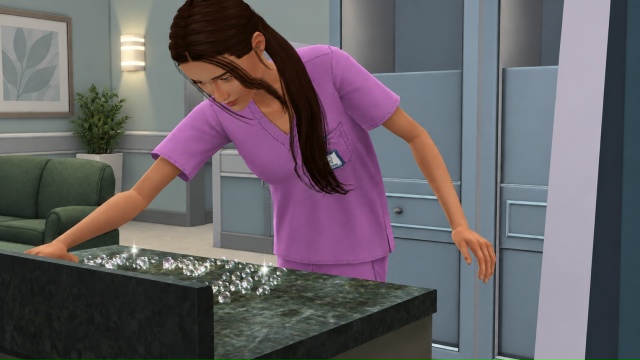
🏥 Our Hospital Is Becoming a Real Working Hospital! I had to put the work on doctor appointments aside for a little while. 👨‍⚕️ Not because I've given up on them. Quite the opposite — I reached a point where I realized there was no point in continuing to build the doctor appointment system in an empty test room while the hospital around it wasn't functioning properly yet. So I moved development into the new hospital building that's currently under construction and started configuring the mod right there. And this is where Hospital Mod has made some major progress! 😄 🏥 The hospital has become a fully functional community lot. I've made it the main workplace for Sims in the Medical career. Now, instead of disappearing into a rabbit hole, the town's medical staff actually come to the hospital and work inside the building. And gradually, each staff member is developing their own behavior: some work in the laboratory, some at reception, some keep the hospital clean, and others wait for patients. 🥼 Both assigned employees and town medical staff automatically change into their work uniforms and perform tasks according to their positions. 🧪 The laboratory is already fully operational: lab technicians work with the equipment, while interns only use machines that aren't currently occupied. 🧹 Cleaning has become smarter too. Now the entire hospital staff doesn't rush to rescue a single dirty plate at the same time. 😂 🏗 Another important feature is that the hospital's settings are saved together with the building itself. The plan is to save the configured hospital to the library, place it on another lot, and have all the patient rooms, beds, and work areas remain properly assigned without having to set everything up again. The main principle behind the mod right now is very simple: if a Sim comes to work at the hospital, they should actually do their job! 😄🏥 And when I return to developing doctor appointments, the doctor will no longer be seeing patients in a test room, but in a fully functioning hospital — with their own office, nurses, diagnostic equipment, a laboratory, and the entire treatment process. 💙
Hestaksa SimsLab
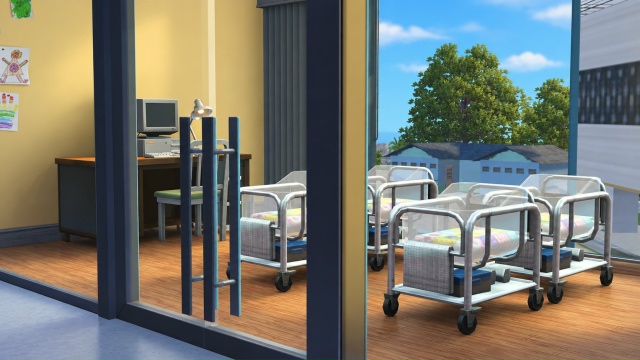
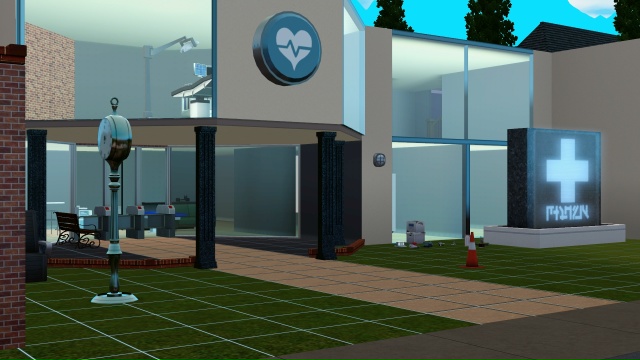
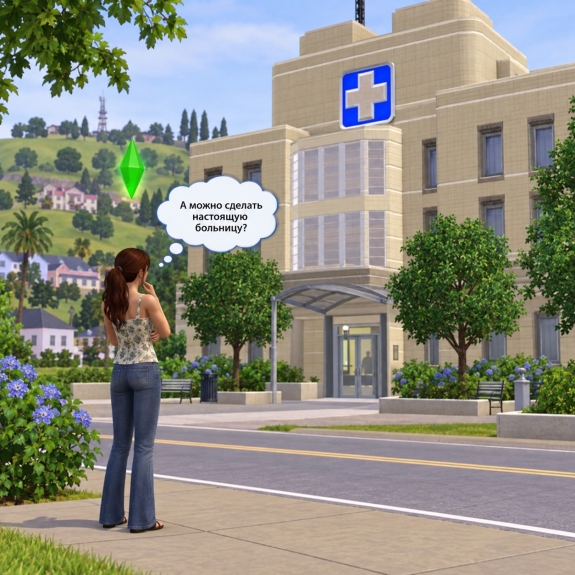
Our Hospital Is Starting to Take Shape! 🏥✨ One mod alone isn't enough — our future hospital will need a real building where the entire system can come to life. That's why I've decided not to use a pre-made lot, but to build a hospital specifically designed for our mod, with the right layout, doctor's offices, patient rooms, and medical equipment. I'll be using custom content (CC) for the construction, and I'll make sure to show and list all the additional content you'll need. 🛠️🩺 The hospital itself will be quite large: three floors and a basement. 🏪 First Floor — everything patients encounter when they first arrive: reception, a pharmacy, a laboratory, and a small café. 🩺 Second Floor — the main medical area. This floor will include doctor's offices, diagnostic rooms, a treatment department, and an operating room. 🛏️ Third Floor — the inpatient ward. Rooms where our patients will actually stay during treatment instead of disappearing behind rabbit hole doors. And there will also be a basement — we'll definitely put it to good use too! 🙂 I want the layout to be more than just visually appealing. It needs to work together with the mod: a patient arrives → checks in at reception → goes for an examination or sees a doctor → gets admitted to a room if necessary → receives treatment. In other words, we're not just building a decorative lot. We're building a place that we'll eventually try to bring to life. 🏥💚 Next, I'll show you exactly which CC I've chosen for our hospital.
Hestaksa SimsLab
This post is not yet available in English. Switch to RU to read the original.
Hestaksa SimsLab
This post is not yet available in English. Switch to RU to read the original.