This mod makes cars a real part of your Sims’ daily lives: vehicles consume fuel, wear out, get dirty and need refueling, washing and repairs. Sims can also make ordinary trips, go for leisurely drives around town or take paid taxis.
Drive Life is a vehicle-management system for The Sims 3 that turns a personal car from a simple means of transportation into an important part of family life.
The system applies only to vehicles owned by the active household. It does not affect NPCs, taxis, school buses, limousines or other town transportation.
Each car has its own fuel level, condition and cleanliness. These values belong to the individual vehicle and are preserved when saving and loading the game.
Fuel is consumed only while the car is actually driving along a road. Longer distances and higher speeds result in greater fuel use. Parking, waiting, pausing, loading a lot and technical vehicle movements do not consume fuel.
Drivers receive warnings when fuel is low. If too little fuel remains, a new trip cannot begin until the car is refueled. Once refueled, the car becomes available again without restarting the game.
A "Go for a Drive" interaction appears on cars. The Sim gets in and drives around town on their own, with no particular destination. The drive continues until the player cancels the interaction. When cancelled, the car does not stop in the middle of the road: it returns home with the Sim and parks.
If the car runs critically low on fuel while driving, it should safely finish the trip and stop in a suitable parking space. It cannot be used again until refueled.
Over time cars also wear out and get dirty. Cleanliness depends on use and the season. Cars can be washed at a car wash or taken to the repair shop when needed. The mechanic will tell you how long the repair will take, and you can collect the car when the work is finished.
Drive Life also expands the town's transportation services with gas stations, car washes, repair shops, mechanic jobs and paid taxi rides.
You can check the current fuel level directly in the car's information.
The main goal is to make car ownership more immersive and meaningful: now you must not only buy a car but also refuel, maintain, repair and wash it, and consider its condition while traveling.
Installation
Download the mod file.
Place the .package file in Documents\Electronic Arts\The Sims 3\Mods\Packages.
Launch the game.
After loading your household, the mod starts working automatically.
To update, simply replace the old mod file with the new version.
How to install and set up the Auto Repair Shop
1. Install the lot
First, install Drive Life and the required objects listed under "Requirements". Extract the repair-shop archive. Place the .Sims3Pack file in Documents\Electronic Arts\The Sims 3\Downloads. Open the The Sims 3 launcher → Downloads, select the repair shop and click Install.
2. Place the repair shop in town
Load a save and open Edit Town. Find the repair shop in the community-lot library and place it on an empty lot of the appropriate size.
The ready-made repair shop already has parking and repair positions assigned. Do not change the lot description: it contains configuration data used when transferring the lot.
3. Prepare permanent staff
You need two different Sims: a founder and a mechanic.
It is convenient to create a separate household for them, move it into town and temporarily make it the active household. After appointing the staff, switch back to your main household.
4. Appoint the founder
Select the Sim who will become the founder and send them to the repair shop.
Click a computer inside the workshop.
Choose Hestaksa SimsLab → Drive Life → Auto Repair Shop → Establish Auto Center on This Lot.
The selected Sim becomes the founder. They will manage the shop and work at the computer. Saved lot settings are loaded during establishment.
5. Appoint the permanent mechanic
Keep the founder selected. Click the second Sim you want to appoint as mechanic.
Choose Hestaksa SimsLab → Drive Life → Auto Repair Shop → Founder → Appoint as Mechanic.
The mechanic works automatically. The founder and permanent mechanic must be different Sims.
Save the game after the appointment. You can check the staff on the workshop computer using Auto Center Status. You can then switch back to your main household.
If you want your playable Sim to work as a mechanic:
Select your Sim and click the founder: Auto Repair Shop → Ask to Work as Mechanic.
Confirm the hiring prompt. Your Sim becomes an employed mechanic who can select jobs independently. The permanent mechanic keeps working.
To resign, use the same Sim to click the founder and choose Auto Repair Shop → Resign.
Requirements
The Sims 3, game version 1.67 or 1.69.
A configured Mods folder supporting .package files.
An active household that owns a car.
To use the auto center's services, you need an Auto Repair Shop installed and established in the town.
The following objects are required for all mod features:
Gas pump and car wash by ruhrpottbobo — the rpb gas pump and rpb car wash objects from Petrol Station Equipment. https://www.thesimsresource.com/downloads/thankyou/id/1028291/ticket/tsr6ad6360b7dd9d3.53807669
The complete Auto Garage set by Sandy / Around the Sims 3 — all items from the set. https://aroundthesims3.com/objects/room_downtown_93.shtml?utm_source=chatgpt.com#gsc.tab=0
Classically Cool Fixer-upper Car from The Sims 3 Store — the restoration vehicle from Roaring Heights. Required for restoring vehicles and for repair/painting animations. Included in both the Standard and Gold editions. store.thesims3.com
These objects are not included in the main Drive Life package. If they are already installed in your game, there is no need to download them again. No third-party fuel-consumption mod is required.
A ready-made Auto Repair Shop can be downloaded with the mod. Its fueling, washing and repair parking spaces, and two vehicle-restoration positions, are already configured. After placing the lot in town, select Establish Auto Center on This Lot on its computer, then appoint the mechanic. The founder and staff must be appointed separately in each town.
The Seasons expansion pack is required for rain and snow to affect vehicle dirt. Other transportation features do not depend on it. Additional requirements for setting up the ready-made lot will be provided in the repair-shop description.
Update history
🚗 Core vehicle mechanics
Added the "Go for a Drive" interaction
for cars owned by the active household.
The Sim gets into the selected car and starts an uninterrupted drive around town.
The route is built along roads in segments of approximately 250–500 world units.
When one segment ends, the route automatically continues.
The car is not limited to short routes near home.
The player can cancel "Go for a Drive".
After cancellation, the car returns home.
The same car is used for the return trip.
If a parking space exists on the home lot, Drive Life tries to park there.
If no parking space is available, the car is placed in the family inventory.
Car recovery is available if the base game places the car in inventory after returning home despite an available parking space.
Newly purchased or placed cars automatically receive Drive Life interactions without reloading the world.
A Drive Life vehicle state is created automatically for each new car.
🚙 "Go for a Drive" speeds
Added 3 speed modes.
Speed can be changed during an active drive.
The current mode has a check mark in the menu.
New cars default to the second speed mode.
Speed 1
Speed: 5% of the individual car's normal speed.
Acceleration: 20.
Speed 2
Speed: 10% of the car's normal speed.
Acceleration: 10.
This is the default.
Speed 3
Speed: 50% of the car's normal speed.
Acceleration: 10.
⛽ Fuel
Each car has its own Fuel: 0–100% value.
New cars start with 100% fuel.
Consumption is based on actual distance traveled, not simply elapsed time.
Base consumption: 0.002% fuel per world unit.
Base consumption per 1,000 units: 2% before the speed multiplier.
Fuel consumption by speed over 1,000 units
Speed 1 — multiplier ×1.10 → approximately 2.2%.
Speed 2 — multiplier ×1.00 → approximately 2.0%.
Speed 3 — multiplier ×1.45 → approximately 2.9%.
⛽ Emergency fuel reserve
The minimum fuel level is 2%.
Fuel never falls below 2%.
When fuel reaches 2% during "Go for a Drive", further consumption stops.
The car automatically ends its leisure drive and returns home.
Exactly 2% emergency fuel remains after returning.
A new "Go for a Drive" cannot be started at 2%.
The player receives a message: 2% fuel remaining; the car is returning home.
Blocking ordinary EA trips from A to B
at 2% has not yet been separately connected.
A direct trip to the gas station.
🔧 Vehicle condition
Each car has a Condition value from 0–100%.
New cars start at 100% condition.
Condition deteriorates according to actual distance traveled.
Wear is significantly slower than fuel consumption.
Base wear: 0.00025% per world unit.
Base wear over 1,000 units: 0.25%.
Condition wear by speed over 1,000 units
Speed 1 — multiplier ×0.90 → approximately 0.225%.
Speed 2 — multiplier ×1.00 → approximately 0.25%.
Speed 3 — multiplier ×1.35 → approximately 0.338%.
🔧 Critical condition
Minimum vehicle condition is 2%.
Condition never falls below 2%.
When condition reaches 2% during "Go for a Drive", further wear stops.
The car automatically returns home.
"Go for a Drive" cannot be started again at 2% condition.
A hint appears saying the car needs repairs.
Blocking normal EA trips from A to B
at 2% condition has not yet been separately connected.
A physical trip to the repair shop.
🧽 Vehicle cleanliness
Each car has a Cleanliness value from 0–100%.
New cars start with 100% cleanliness.
Cleanliness decreases according to actual distance traveled.
Cars get dirty faster than they wear out, but slightly slower than the base fuel-consumption rate.
Base dirt accumulation in dry weather: 0.0015% per world unit.
In dry weather, a car loses 1.5% cleanliness per 1,000 units by default.
Cleanliness can fall to 0%.
Low cleanliness does not prevent driving.
🧽 How speed affects dirt accumulation
Dry weather
Speed 1 — 1.35% cleanliness / 1,000 units.
Speed 2 — 1.50% / 1,000 units.
Speed 3 — approximately 2.025% / 1,000 units.
Speed multipliers:
Speed 1 — ×0.90.
Speed 2 — ×1.00.
Speed 3 — ×1.35.
🌦 Weather and dirt accumulation
Seasons weather effects are integrated.
If Seasons is absent or weather data is unavailable, the safe "dry" ×1.0 setting is used.
Both current snowfall and snow depth on the ground are taken into account.
When multiple weather conditions apply, the strongest relevant multiplier is used.
Weather multipliers
Dry — ×1.00.
Rain / storm / hail — ×1.60.
Light snowfall / shallow snow — ×1.20.
Moderate snow — ×1.50.
Heavy / deep snow — ×1.80.
Light snow — dirt accumulation per 1,000 units
Speed 1 — 1.62%.
Speed 2 — 1.80%.
Speed 3 — 2.43%.
Moderate snow — dirt accumulation per 1,000 units
Speed 1 — approximately 2.025%.
Speed 2 — 2.25%.
Speed 3 — approximately 3.038%.
Heavy / deep snow — dirt accumulation per 1,000 units
Speed 1 — 2.43%.
Speed 2 — 2.70%.
Speed 3 — approximately 3.645%.
Rain — dirt accumulation per 1,000 units
Speed 1 — 2.16%.
Speed 2 — 2.40%.
Speed 3 — 3.24%.
🏢 Auto Center
Added a permanent menu: Hestaksa SimsLab → Car → Go to Auto Center.
The menu is always visible for active-household cars regardless of their condition values.
Added "Refuel Car".
Added "Wash Car".
Added "Repair Car".
Physical driving to the gas station.
Physical driving to the car wash.
Physical driving to the repair shop.
Actual refueling at the Auto Center.
Cleanliness is restored after washing.
Condition is restored after repairs.
ℹ️ Car information on hover
The owner's name is displayed on hover.
Fuel percentage is displayed.
Condition percentage is displayed.
Cleanliness percentage is displayed.
Values are shown as rounded percentages.
Hover information also works on newly purchased cars.
The original car name is preserved and restored after hovering/saving.
💾 Saving data
Fuel level is saved with the game.
Condition is saved.
Cleanliness is saved.
The selected "Go for a Drive" speed is saved.
Older saves without a speed field automatically default to Speed 2 / 10%.
🆕 New cars
Cars that already exist when the world loads receive Drive Life automatically.
Newly purchased cars are detected.
Cars placed in inventory are detected.
Cars placed on lots after world load are detected.
New cars receive "Go for a Drive".
New cars receive the Auto Center menu.
New cars start with values of 100 / 100 / 100.
Hover displays their values.
🏢 Full Auto Center
Added a vehicle service system with its own staff and equipment.
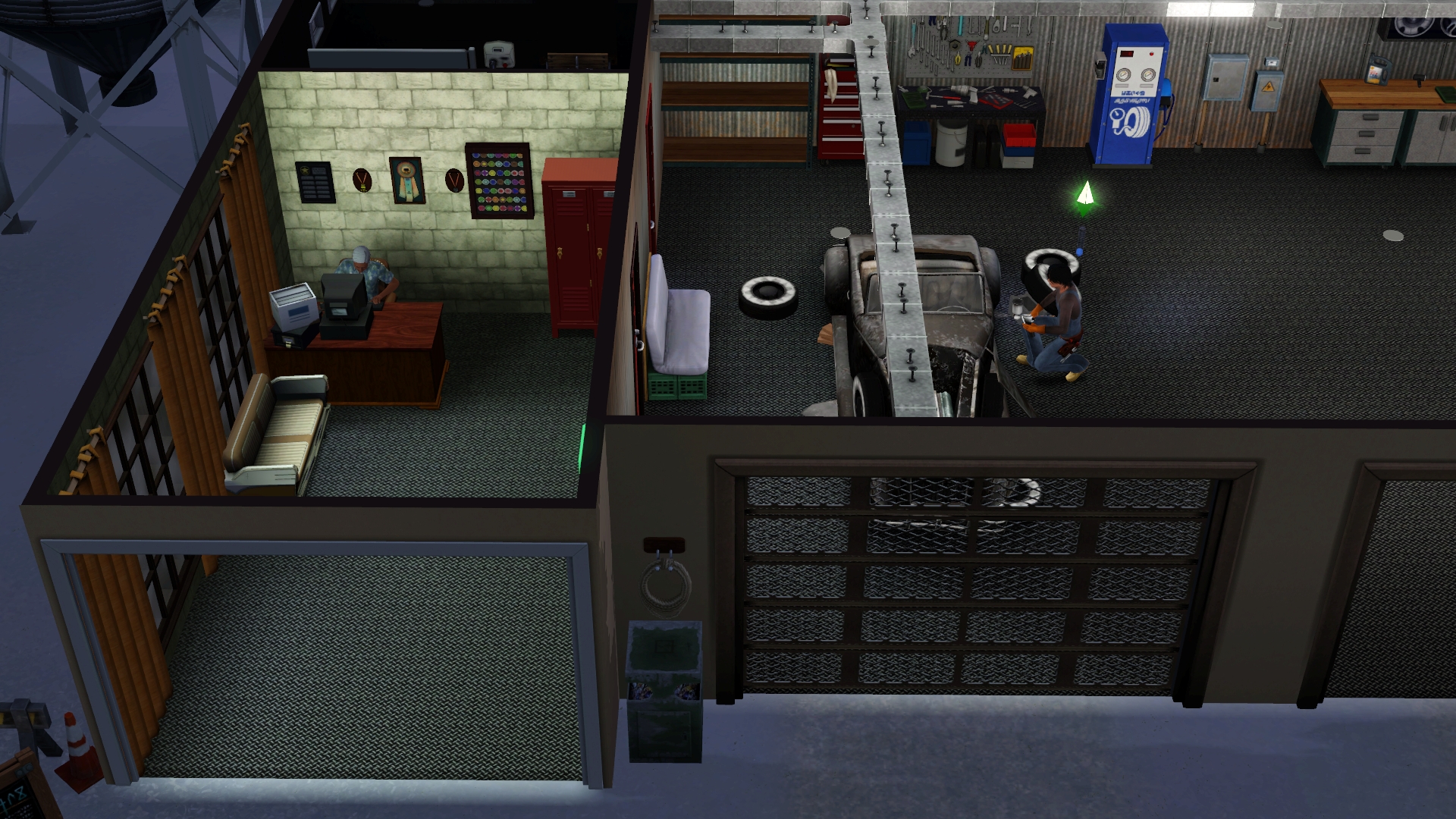
The Auto Center operates as a specialized community lot.
The lot contains fueling, washing, repair and painting zones.
Privately owned cars of the active household can be serviced.
Vehicles being restored for resale can also be serviced.
All major services require actually visiting the Auto Center.
Cars are directed to the relevant service parking spaces.
Added an Auto Center founder and a permanent NPC mechanic.
The Auto Center continues operating without ongoing active-household involvement.
🚘 Car menu
Added a permanent "Go to Auto Center" interaction directly to the car menu.
It appears next to "Go for a Drive".
Each service has its own driving and maintenance sequence.
Switching among the three "Go for a Drive" speeds is also available from the car menu.
Service interactions are intended for active-household cars.
⛽ Gas station
Added a physical car trip to the gas station.
Added a gas-pump interaction to purchase fuel.
A single fuel type is used.
The cost of fuel is deducted from active-household funds.
After service, the car's tank is restored to 100%.
Added a refueling waiting period.
The new fuel level is saved in the car's individual state.
Refueling works together with Drive Life's fuel-consumption system.
Driving to the gas station is also possible with only an emergency fuel reserve.
🛢️ Portable fuel cans
Added support for the ATS3 - Auto Garage - Jerrican object.
The jerrican serves as a single-use reserve of vehicle fuel.
Sims buy the jerrican already filled.
It can be kept in the Sim's personal inventory.
Fuel can be poured from the jerrican into a car owned by the household.
Fuel may be used gradually.
Only the necessary amount is used when topping up.
Any unused fuel remains in the can.
Refilling an empty can is not supported.
Once all fuel is used, the can disappears.
Buying multiple cans combines the fuel into a shared stack.
Each full can adds 100% to the shared jerrican reserve.
Fuel from the combined reserve is used automatically.
The remaining fuel amount and number of cans are displayed.
Example: ATS3 - Auto Garage - Jerrican (125%, 2 pcs.).
Remaining fuel and item count are saved and restored with the game.
NPCs and service vehicles do not use jerricans.
🧽 Car wash
Added a full car-washing service for privately owned vehicles.
Each wash costs §4,000.
Service takes 3 in-game hours.
The car arrives at a designated car-wash parking space.
Visual water jets operate during service.
Water effects play only while the wash is active.
Water effects stop when service ends.
The car stays in place during washing.
The Sim cannot take the car home before the wash finishes.
When washing finishes, cleanliness returns to 100%.
The new cleanliness value is saved.
Household funds are checked before service starts.
The wash cannot start without sufficient funds.
An "Insufficient Funds" notification appears.
Payment cannot push household funds below zero.
🔧 Paid repairs for private cars
Added a complete car-repair service for the active household.
Repair cost depends on the car's current condition.
Repairs cost §15 for each missing 1% of condition.
For example, repairing a car from 60% to 100% restores 40% and costs §600.
Repairs take 4 in-game hours.
The Sim drives the car into a repair parking space.
After payment, the vehicle is handed over for servicing.
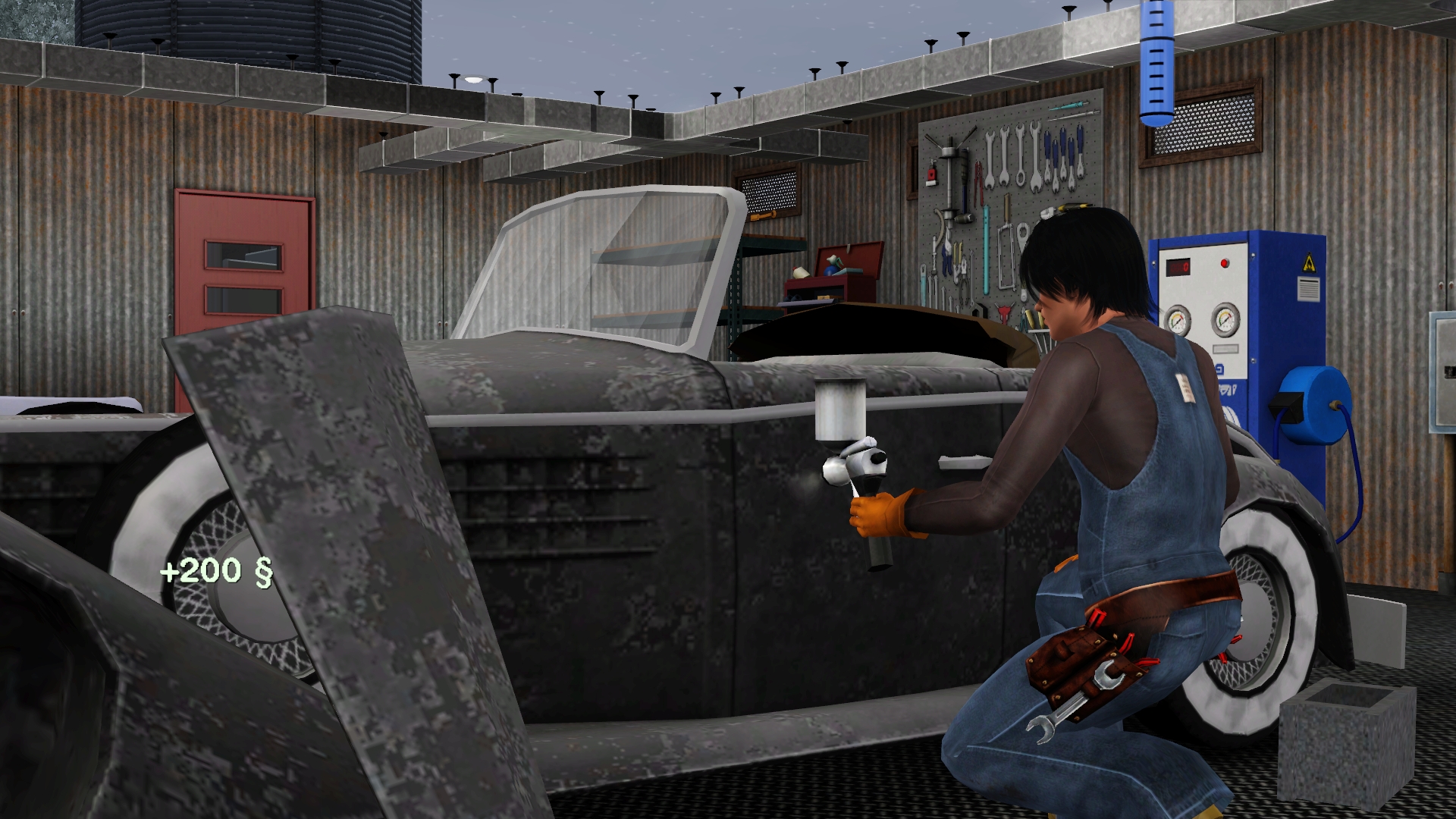
An NPC mechanic approaches the car.
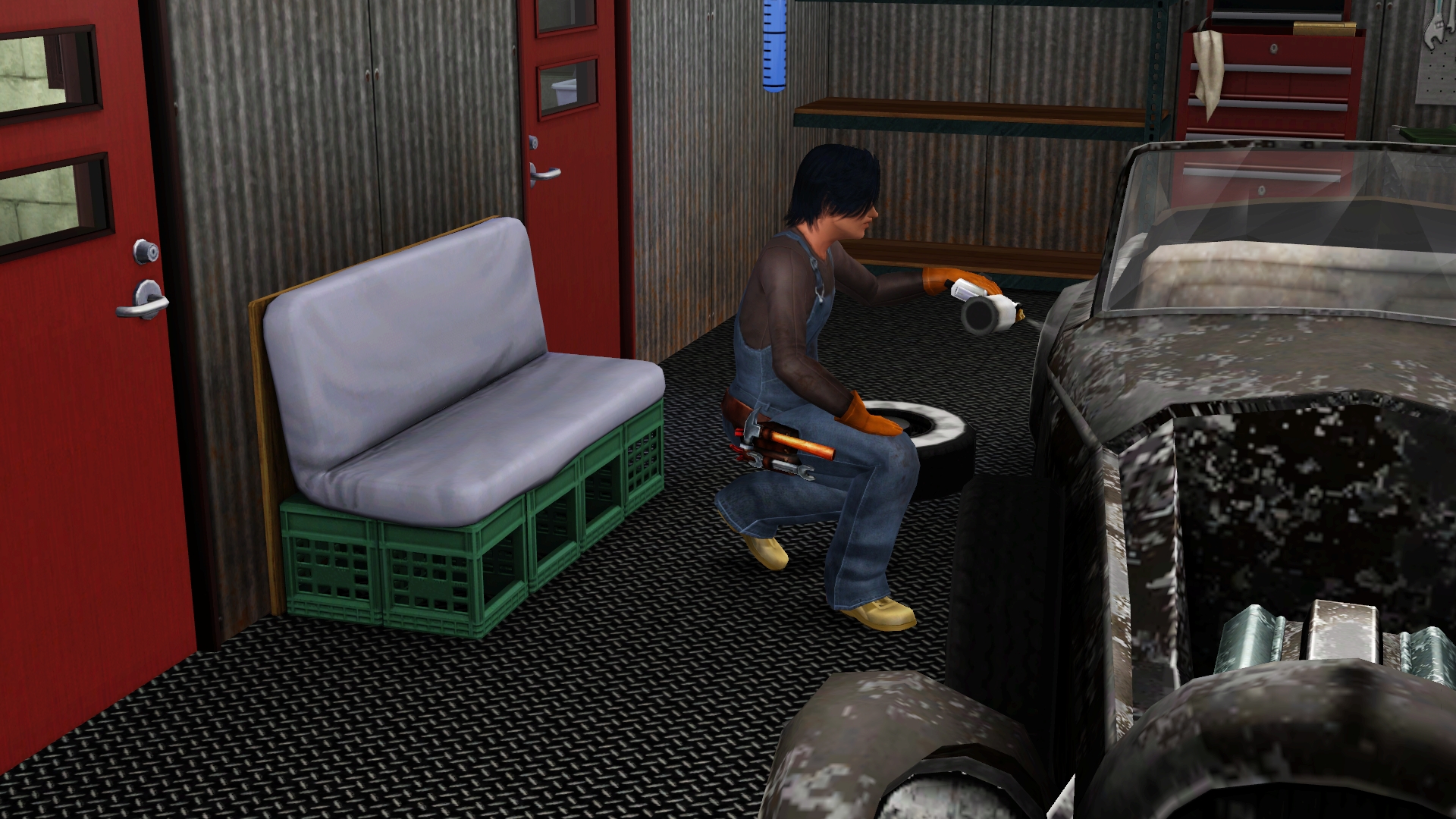
The mechanic performs visible repair interactions.
The car remains in the repair zone during service.
When repairs finish, vehicle condition returns to 100%.
The updated condition is saved.
Protection against paying twice for one unfinished service is included.
Prevents the serviced car from being taken home prematurely.
🎨 Car painting
Added a paid service to change a car's color.
Painting costs §3,500.
Painting takes 3 in-game hours.
The Auto Center repair zone is used for painting.
The car is sent directly to the relevant parking position.
Added the ability to choose a car color.
Includes ten preset colors and the ability to use Create-a-Style.
Painting is part of the paid service system.
If both repair and painting are requested, repairs are carried out first.
Painting then begins.
Repairs followed by painting take 7 in-game hours in total.
The vehicle remains assigned to its work position during service.
Protection against repeat payments and premature service completion is included.
👨💼 Auto Center founder
Added a separate "Auto Center Founder" role.
The founder manages the lot.
A permanent computer workstation is provided for the founder.
The NPC founder continues working at the computer.
Added management of playable-Sim hiring as a mechanic.
Special hiring and resignation interactions are available on the founder.
Income from the Auto Center's commercial activities goes to the founder's household.
The founder does not have to repair cars personally.
The permanent mechanic and founder are two different Sims with different responsibilities.
🔧 Permanent NPC mechanic
Added a permanent repair-shop employee.
The mechanic remains on the Auto Center lot.
Their main job is restoring vehicles.
The standard Store car repair system is used for this work.
Added an automated sequence of repair interactions.
After one action finishes, the mechanic continues the restoration process.
The permanent mechanic does not need each repair action assigned manually.
The NPC mechanic also services privately owned cars brought in for paid repairs.
Protection prevents the permanent employee from going home without authorization.
Unrelated Sims must not perform the regular mechanic's job.
The permanent NPC mechanic continues working even when a playable Sim is hired.
👷 Mechanic jobs for playable Sims
Added official employment for playable Sims at the Auto Center.
A Sim must contact the founder to get hired.
Added the "Ask to Work as Mechanic" interaction.
Choosing the job displays a confirmation prompt.
After confirmation, the Sim gains Auto Center employee status.
A "Resign" interaction becomes available on the founder.
The playable mechanic can choose repair tasks independently.
The permanent NPC mechanic keeps their position.
Both employees can be on the Auto Center lot and work simultaneously.
Hiring a playable mechanic does not disable the permanent employee's automatic work.
💰 Mechanics' wages
Added an employee wage system.
Wages are paid at a rate of
§200 for every 2 in-game hours worked
.
The rule applies to both the permanent mechanic and a hired playable mechanic.
Wages are credited to the respective employee's household.
Pay does not depend on how many repairs were completed.
Compensation is tied to an employee working and being present on shift.
The game system creates the money.
Wages are not deducted from the founder's household funds.
Employee payments do not create a debt for the Auto Center.
👕 Mechanic work uniform
Added special work clothing.
Uses the standard The Sims 3 repairperson uniform.
Playable mechanics change into their work uniform while at the Auto Center.
Basic Sim appearance elements are preserved when applying the outfit.
Fixed an outfit-change method that caused body parts to disappear.
The uniform is applied without damaging the Sim's main outfit.
Sims keep the mechanic uniform while on the work lot.
Their usual clothes return when they leave the lot.
No separate in-game career is required for the uniform.
🚙 Restoring the Store Fixer-upper Car
Added a vehicle-restoration system for later resale.
The Auto Center has two independent restoration positions.
Each position holds a separate car being restored.
Uses the Store Fixer-upper Car mechanics.
The permanent NPC mechanic performs a sequence of restoration actions.
The playable mechanic can help with repairs too.
Each car has an independent restoration process.
Working on one car must not block the second restoration position.
Two mechanics can work on different cars simultaneously.
If both employees work on the same car, their actions are scheduled in sequence.
After restoration is complete, the car becomes available for sale.
🚫 Auto Center visitor restrictions
Added control over unrelated Sims.
Random visitors must not interfere with Auto Center operations.
Unrelated Sims are not allowed to repair cars.
The permanent mechanic retains their work role.
An NPC buyer may visit the Auto Center when a restored car is sold.
Ghosts are excluded from car-buyer roles.
Compatibility with Afterlife's ghost-movement restrictions is provided.
Staff duties and Auto Center business processes are separate from random NPC activity.
🏠 Saving and transferring an Auto Center
Auto Center lot assignments can be saved.
Service parking-space settings are saved.
Car repair positions are saved.
Work-zone settings are saved.
The Auto Center configuration is saved.
Settings are restored when loading a saved game.
The lot can be transferred without manually reassigning every work zone.
Auto Center operation can be restored after placing the saved lot.
Lot data is saved separately from each private car's individual properties.
🚕 Taxis
Added a paid taxi system.
Each taxi trip costs §250.
Taxis are treated as a separate transportation category.
A personal car is not required.
NPC transport, including taxis, does not receive Drive Life fuel mechanics.
Taxis do not consume the fuel, condition or cleanliness assigned to active-household cars.
🚨 Fines for dirty cars
Added fines for driving dirty vehicles.
Each fine is §250.
Fines apply when cleanliness is 30% or lower.
Active-household vehicles are checked.
A fine is issued when a dirty car is used away from the home lot.
Dirty cars parked at home are not fined.
Fines are tracked separately for every vehicle.
The same car can be fined at most once per 24 in-game hours.
The player receives a notification when a fine is issued.
If sufficient funds are available, the fine is deducted from household funds.
If the household has several dirty cars, each vehicle is tracked separately.
NPC vehicles are exempt from fines.
Cars at 31% cleanliness or higher do not receive fines.
Fines work together with the existing dirt and car-washing systems.
💳 Outstanding debts
Added tracking of unpaid vehicle fines.
When a household cannot afford a fine, the unpaid amount becomes debt.
Household funds cannot fall below zero due to fines.
Multiple unpaid fines are added together.
The debt remains until paid off.
When household funds become available, collection resumes.
Debts can be repaid in installments.
Previously collected amounts are tracked to prevent duplicate deductions.
Unpaid fines are saved with the game.
Debt tracking resumes after loading a saved game.
🚗 Additional vehicle-use restrictions
Critical fuel and vehicle-condition levels are checked.
When the 2% emergency reserve is reached,
the car can no longer be used normally.
Consumption of the relevant resource stops at its minimum value.
In "Go for a Drive," the car ends the leisure drive and returns home.
Ordinary trips between lots are restricted when the car's condition is critical.
Service trips account for the need to refuel or repair.
Cleanliness can fall to 0% but does not in itself prevent driving.
Fuel, condition and cleanliness systems run independently for each active-household car.
Other Sims' vehicles, buses, limousines, taxis and service cars are excluded from Drive Life maintenance.
💾 Saving new systems
Jerrican fuel balances are saved.
The number of jerricans in the pooled reserve is saved.
Unpaid fine debts are saved.
Vehicle-specific fine records are saved.
Individual vehicle values are saved.
Auto Center configuration and work positions are saved.
Systems are restored when the world is loaded again.
Private cars are rediscovered after loading a saved game.
Maintenance systems reuse the existing fuel, condition and cleanliness values rather than creating duplicate properties.
🛠️ Fixes and optimization
Fixed issues with saving vehicle properties.
Fixed some cases of lost fuel after reloading the game.
Improved detection of cars in inventory and on lots.
Fixed issues returning cars to their home parking spaces.
Improved protection against duplicated cars.
Improved routes to service parking spaces.
Added checks for worker and repair-position availability.
Improved NPC mechanic behavior to prevent them leaving the lot without authorization.
Fixed how the mechanic's work uniform is applied.
Improved car-wash visual effects.
Improved saving Auto Center data.
Removed unnecessary technical notifications during normal gameplay.
Added checks to money transactions to prevent service payments from making household funds negative.
🔐 Вход в админку
🗝️
Drop your access-key image hereor click to select the file