
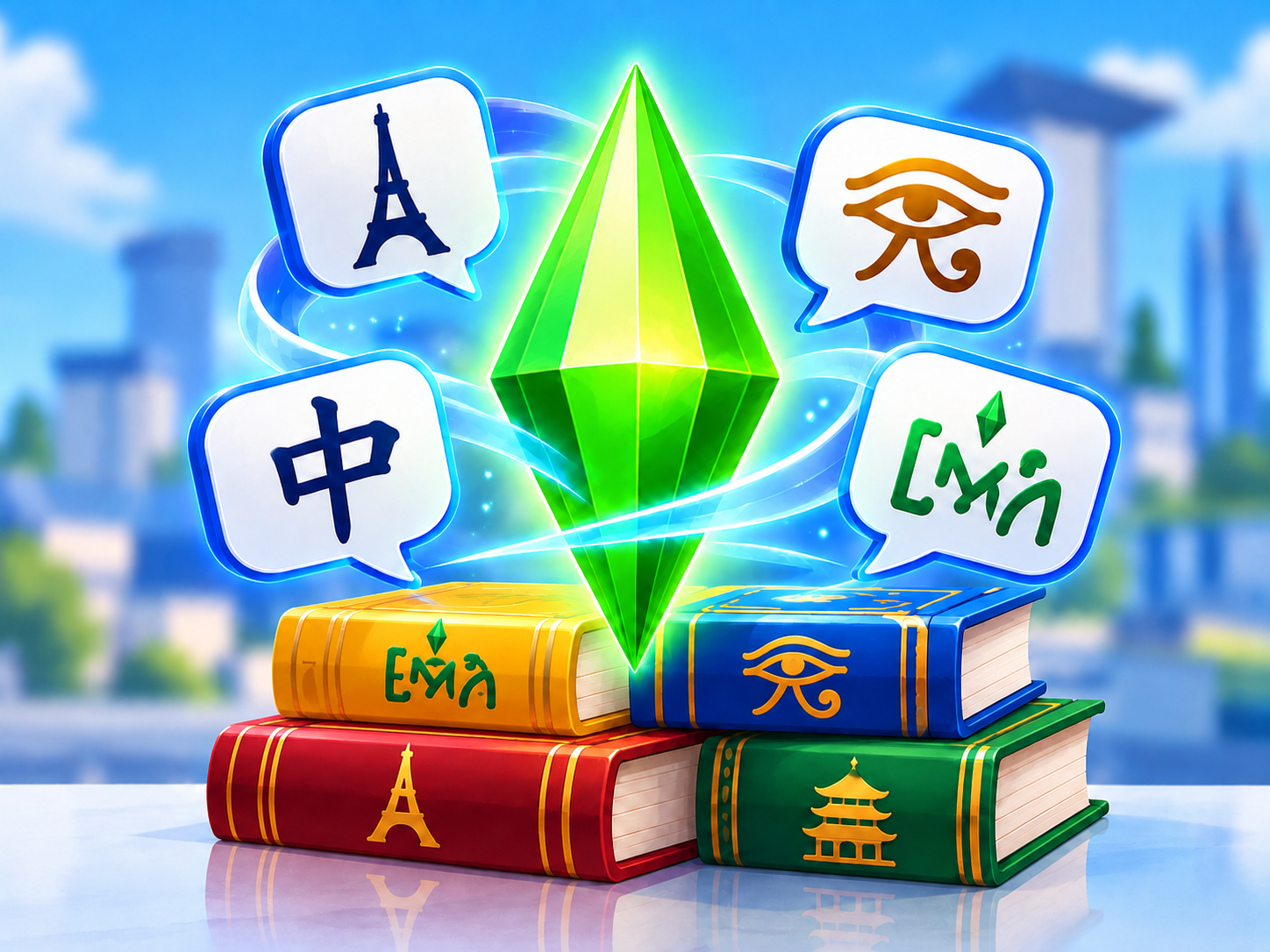
Polyglot 🗣️ v0.2
Polyglot adds a full language system to The Sims 3. Sims can speak Simlish, French, Chinese and Al Simharan at different proficiency levels. Each language is a separate, genuine skill on a 0–10 scale, visible in the skills panel and saved with the Sim. Language proficiency affects communication: Sims may understand each other or face a language barrier. Languages can be studied and gradually improved during gameplay.
Description
Polyglot adds a full language system to The Sims 3.
Language is no longer just an assumption: every Sim has a native language, can learn other languages as genuine skills, and their proficiency affects how well Sims understand each other.
The mod includes four languages: Simlish, French, Chinese and Al Simharan.
Each language is a complete, separate skill with levels 0 to 10, its own icon, progress bar and skill journal. It is saved with the Sim and appears in the standard The Sims 3 skills panel.
The main idea behind Polyglot: Sims do not simply receive a label saying they "know a language." They actually learn and develop languages, and their abilities affect ordinary conversations.
Each Sim has a native language at level 10/10.
When assigning languages automatically, the mod considers a Sim's culture: French culture gets French, Asian culture gets Chinese, and Egyptian culture gets Al Simharan. For all other Sims, Simlish is the native language.
You can also assign a native language manually:
Hestaksa SimsLab → Polyglot → Native Language...
For example, you can make a regular town resident a native French or Chinese speaker.
Normal conversations in The Sims 3 remain normal conversations. You do not need to choose a special "practice language" interaction: Polyglot automatically integrates with the game's existing social interactions.
The default mode is Auto.
When one Sim starts a conversation, the mod checks both Sims' languages and chooses their best shared language — the one they both know best.
For instance, one Sim knows Simlish at level 10 and French at level 6, while another knows Simlish at level 2 and French at level 5. They will prefer French, because their shared ability to understand each other is higher in that language.
If they have no shared language at all, the Sim starting the conversation speaks their own native language.
Important: the language is selected once for the entire uninterrupted conversation. It does not switch back and forth after every reply.
If a Sim knows a language at level 1 or above, you can manually select which language they use to start conversations:
Hestaksa SimsLab → Polyglot → Spoken Language...
The available options are Simlish, French, Chinese, Al Simharan and Auto.
For example, a Sim has native Simlish at level 10 and French at level 4. If you select French, new conversations initiated by that Sim will be in French.
The other Sim does not have to know that language. If their French skill is 0, the conversation can still begin in French, triggering language learning through interaction. You can switch back to automatic language selection with Auto at any time.
A language at level 0 cannot be chosen manually: the Sim must first acquire at least level 1.
Conversation comprehension is determined by the less proficient speaker.
If one Sim knows a language at level 10 and the other at level 3, their actual shared comprehension level is 3.
0–1 — almost no understanding.
2–4 — limited proficiency.
5–7 — adequate understanding.
8–10 — fluent.
At very low levels, Polyglot notifies the player that the other Sim does not yet understand the language well.
Polyglot does not replace the game's social system with custom conversations or animations. Instead, it adds language mechanics on top of ordinary The Sims 3 social interactions.
This is one of the mod's core mechanics.
Sims can genuinely learn a language simply by talking to each other. If one speaker knows the chosen language better, the less proficient speaker earns experience.
French 10 + French 0 → the level 0 Sim learnsFrench 8 + French 3 → the level 3 Sim learnsFrench 4 + French 4 → both Sims learn
- If their levels are equal and below 10, both Sims earn experience, though a little more slowly than when learning from a more proficient partner.
- If both Sims have already reached level 10, they no longer earn experience.
- The better a Sim understands the conversation, the more effective their language practice becomes.
Learning from scratch is possible, too. Sims do not need to unlock level 1 beforehand. If a fluent speaker talks to a Sim whose language skill is 0, Polyglot creates the real skill and starts awarding XP during the conversation.
Only accepted verbal social interactions count. Nonverbal interactions do not award language experience.
Each language has its own textbook:
Simlish · French · Chinese · Al Simharan
A single book covers the entire skill, levels 0 to 10. You do not need to buy separate volumes for different levels.
Polyglot adds language books to bookshelves. They function as genuine The Sims 3 skill books and improve the corresponding language.
Children can read the language books too.
A new computer interaction appears:
Hestaksa SimsLab → Polyglot → Study Language...
It lets Sims study any of the four languages.
The standard in-game skill-progress indicator appears during the session. Studying continues until the interaction is cancelled or the Sim reaches level 10.
This makes it possible to start learning a completely new language even if you do not yet know a native speaker in town.
Each language has its own statistics.
Polyglot tracks how many books have been read, time spent studying, conversations in the language, different conversation partners, understood and misunderstood lines, and fluent conversations.
There are also skill-journal challenges based on study time, amount of conversation, the variety of language partners and fluency.
So two Sims with the same language level may have completely different learning histories.
Polyglot lets you establish a real Language Center in your town, offering paid language courses.
The player establishes the center on a chosen lot.
You assign a founder, teacher, classroom, lobby and examination area.
The teacher receives level 10 in all four languages and becomes a permanent member of the center's staff.
Classes can accommodate up to 12 students. If there are fewer playable students, town residents may fill the empty seats so the lesson looks like a real class.
Teenagers, young adults, adults and elders can enroll.
After establishing the Language Center, a computer interaction allows Sims to enroll.
Courses are available in French, Chinese and Al Simharan.
A subscription lasts 28 in-game days and costs §4,000.
The money does not vanish from the game: the tuition fee is transferred from the student's household to the Language Center founder's household.
Students may cancel early, but paid tuition is not refunded.
Monday and Thursday — French.
Tuesday and Friday — Chinese.
Wednesday and Saturday — Al Simharan.
Sunday — examinations.
At 07:00, the study group starts forming and Sims head to the center.
From 08:00 to 10:00, students arrive, take their seats and prepare.
At 10:00, the bell rings and the lesson begins.
From 10:00 to 14:00, the lesson takes place.
At 14:00, the final bell rings and the school day ends.
Students arrive in small groups to avoid a huge crowd at the entrance.
During lessons, the teacher lectures at the podium while students sit in class and take notes.
Playable Sims earn real XP in the language scheduled for that day, with the standard in-game skill-progress display.
Polyglot also helps the classroom stay organized: students should not constantly run off to do their own activities, phones are switched to silent mode, and essential needs are maintained during long lessons.
After class, the center tidies up: broken objects, sanitary areas and books left behind are taken care of.
When a paid course ends, the training does not simply disappear from the list.
The Sim becomes eligible for a Sunday oral examination in the language they studied.
Examinations take place on Sundays from 10:00 to 18:00.
The student arrives at the Language Center, sits opposite the teacher and completes an oral assessment in the form of a conversation lasting about one in-game hour.
The result is calculated from the Sim's actual current language skill, including progress within their current level.
The maximum score is 100 points.
0–39 — fail. No award, but the student may retake the exam for free the following Sunday.
40–59 — Regular
60–89 — Silver
90–100 — Gold
French, Chinese and Al Simharan each have separate wall awards for every rank — 9 variants in total.
After passing the exam, the award appears in the Sim's inventory, ready to be taken out and displayed on a wall.
With Polyglot, a Sim's background and language begin to have real gameplay consequences.
A native French speaker might arrive in an ordinary town and genuinely have no language in common with a local Sim.
Another Sim might understand almost nothing at first, gradually learn through conversations, continue studying with a book or computer, enroll in courses — and eventually be able to talk fluently with that same person.
A multilingual Sim can choose which language to use when starting a conversation.
Polyglot does not create an artificial conversation system to replace The Sims 3. It integrates languages directly into everyday Sim life — introductions, conversations, learning, books, computers and the town's Language Center.
This is how I would present it on the website: your eyes are naturally drawn to headings, bold key rules, gray menu and example panels, and separate important notes, so even a long description does not look like an unbroken wall of text.
The language-barrier idea was inspired by Language Barriers by Frankk for The Sims 4. Polyglot was developed separately for The Sims 3 and has its own implementation and gameplay mechanics.
Installation
- Close The Sims 3 and its launcher.
- Download
Polyglot.package. - Place it in
Documents\Electronic Arts\The Sims 3\Mods\Packages.
If you already have an older version of Polyglot installed, remove the old Polyglot.package and keep only the latest version.After installing or updating, it is recommended to delete the game's cache files:
scriptCache.packagecompositorCache.packagesimCompositorCache.packageCASPartCache.packagesocialCache.package
You can find these files in Documents\Electronic Arts\The Sims 3.
The game will recreate them at the next launch. Start The Sims 3 and load your save.
Important: keep only one version of Polyglot in Mods\Packages.The Language Center is established in your existing game town. It is not a prebuilt lot that the mod automatically places on the map. You choose a suitable building and designate it as the center.
1. Prepare a lot
A community lot with a building containing at least two separate rooms is recommended:
Lobby — the founder's workplace.
Classroom — the teacher's and students' room.
For the center to function fully, prepare:
- a computer in the lobby for the founder;
- a computer in the classroom for the teacher;
- a chair at the teacher's computer;
- a lecture podium / lectern;
- 12 student seats — chairs at school desks, writing desks or dining tables;
- a separate chair for the oral examination.
Do not count the teacher's work chair or examination chair among the 12 student seats. Polyglot excludes both from regular classroom seating.
To take notes, students need not only somewhere to sit but also a suitable surface nearby — a desk or table.
2. Establish the center
Bring the future founder to the chosen lot and click a computer.
Choose: Hestaksa SimsLab → Polyglot → Language Center... → Establish Center on This Lot
The lot will then be registered as a Language Center, and the selected Sim becomes its founder.
The founder is automatically assigned the service career: Education — Principal, level 9.
3. Appoint a teacher
While controlling the founder, click another Sim. Choose: Hestaksa SimsLab → Polyglot → Language Center... → Founder... → Appoint as Teacher
The selected Sim becomes the center's teacher.
They are automatically assigned: Education — High School Teacher, level 6.
The teacher also receives: Simlish 10 / French 10 / Chinese 10 / Al Simharan 10.
The founder and teacher must be different Sims.
4. Designate the Classroom
Move the founder inside the room you want to use as the classroom.
Click the founder: Hestaksa SimsLab → Polyglot → Language Center... → Founder... → Zones... → This Room Is the Classroom
Polyglot remembers that specific room.
The classroom must contain the teacher's computer, student seats and podium.
5. Designate the Lobby
Now move the founder to another room — the future lobby.
Click them again: Hestaksa SimsLab → Polyglot → Language Center... → Founder... → Zones... → This Room Is the Lobby
The classroom and lobby cannot be the same room.
To check the setup, choose: Hestaksa SimsLab → Polyglot → Language Center... → Founder... → Zones... → Show Zones
6. Set up the teacher's workplace
The classroom must contain a separate computer for the teacher.
Polyglot automatically treats the chair closest to this computer as the teacher's work chair and does not assign it to students.
Place the computer and chair so that it is obvious which seat belongs to the teacher.
During regular work the teacher sits at this computer; during lessons they move to the podium and deliver a lecture.
7. Assign the examination chair
Place a separate additional chair in the classroom, near the teacher's workplace.
While controlling the founder, click that chair directly: Hestaksa SimsLab → Polyglot → Language Center... → Founder... → Exam... → Assign Examination Chair
The examination chair must be in the Classroom. Students do not sit there during regular lessons. Click an already assigned examination chair again to remove its designation.
8. Check the setup
On a Language Center computer, choose:
Hestaksa SimsLab → Polyglot → Language Center... → Center Status
The status should show:
Lot — assigned
Founder — assigned
Teacher — assigned
Classroom — assigned
Lobby — assigned
Examination chair — assigned
Then save the game.
Center settings are saved with your save game.
If you move the Language Center to a different lot and use "Establish Center on This Lot" again, you must designate the Classroom, Lobby and examination chair on the new lot again.
After setup
Once the center is registered, these computer interactions become available:
Hestaksa SimsLab → Polyglot → Enroll in Language Courses...
and Hestaksa SimsLab → Polyglot → Course Schedule
You can then enroll Sims in French, Chinese or Al Simharan courses.
Requirements
Polyglot requires:
- The Sims 3 installed;
- a working
Mods\Packagesfolder; - a
Resource.cfgfile; - only one
Polyglot.packageinstalled, with no old versions alongside it.
No additional libraries, NRaas mods or other mandatory mods are required.
For the Language Center
The fully functioning Language Center uses standard in-game mechanics:
- the Education career for the founder and teacher;
- a podium with the Give Lecture interaction for lessons.
The Language Center therefore requires these expansion packs:
The Sims 3: Ambitions — for the Education career.
The Sims 3: University Life — for the lecture podium.
Important: the languages themselves, language skills, conversational learning, books and computer study are Polyglot mechanics. The expansions are required specifically for the fully functioning Language Center.
The Sims 3: World Adventures is not required for Polyglot itself, but it naturally provides French, Chinese and Egyptian cultures and the corresponding vacation worlds.